
TURNING MEETINGS INTO RESULTS

Meeting management tools for Microsoft Teams

Decisions is a secure meeting management system for people and AI, built natively on Microsoft 365 and Teams. From management committees to project teams, it structures meeting context, records outcomes, and automates workflows before, during, and after every meeting. AI is built in, and always optional.
HOW DECISIONS WORKS

The full meeting lifecycle in Microsoft Teams, from prep to follow-through

Prepare with a structured agenda, run the meeting with time and outcomes tracked live, and follow up with minutes, decisions, and action items. Each stage feeds the next, so the next meeting starts prepared.
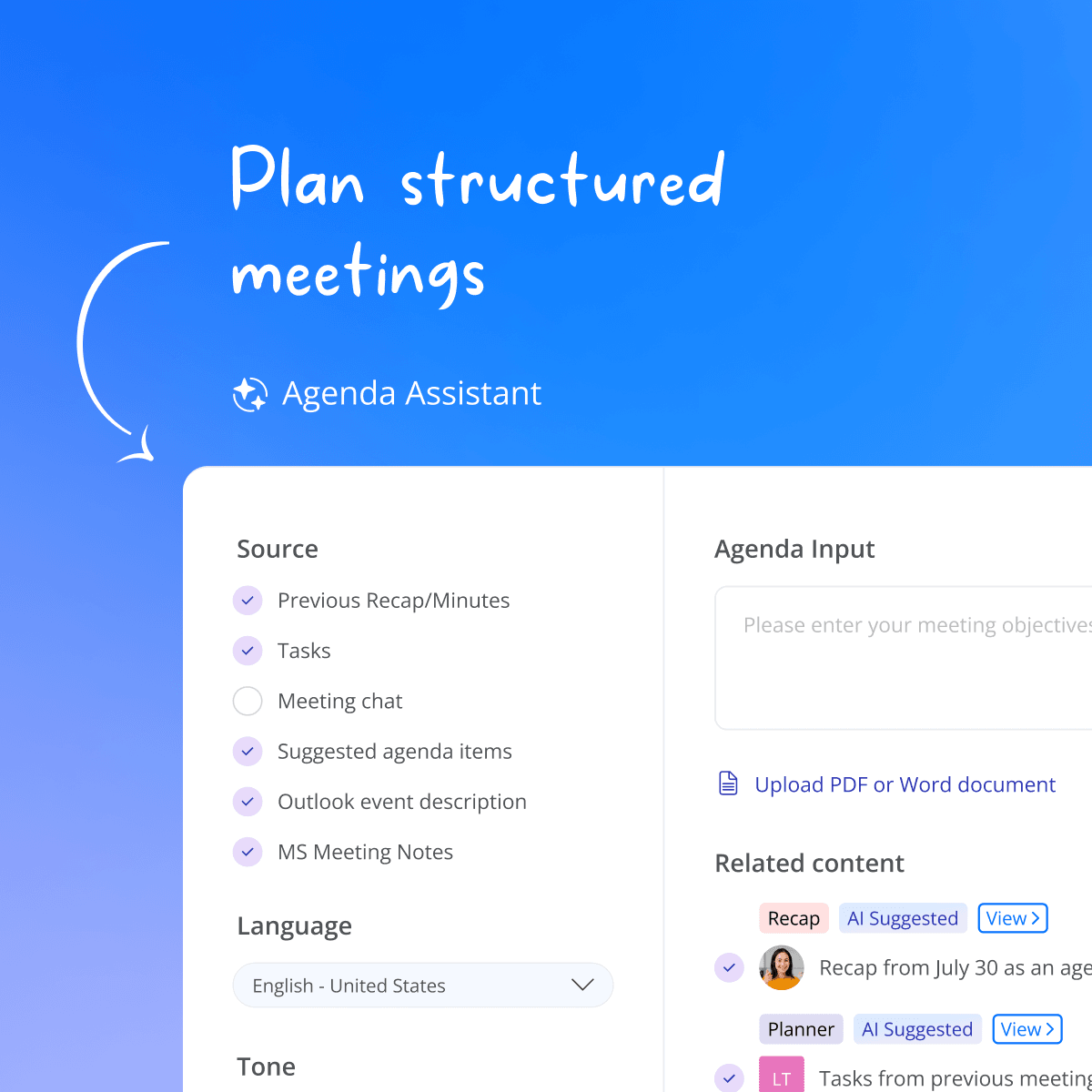
Decisions AI Agenda Assistant in Microsoft Teams drafting a meeting agenda from past recaps, action items, and Outlook events, with language and tone options.
Before the meeting

Show up prepared

Agenda builder
Drag and drop items, set time per topic and type, in draft until you publish.
Agenda templates
Personal, team, and organization-wide templates for every recurring meeting.
AI agenda
An optional AI draft from your meeting context, to review and refine before publishing.
AI Assistant
Daily briefings, scheduling, reminders, recaps, and more, all from your AI Assistant.
Proposed decisions
Stage a proposed decision on any agenda item, ready to vote on and finalize.
Co-authoring & collaboration
Build the agenda together, with suggested and requested items.
Guest & participant management
Control who sees what, including external guests.
Meeting book
Export the agenda and every attached document in one branded PDF, ready to review and annotate in the mobile app.
Meeting Engagement Score™
See how prepared participants are before the meeting starts.
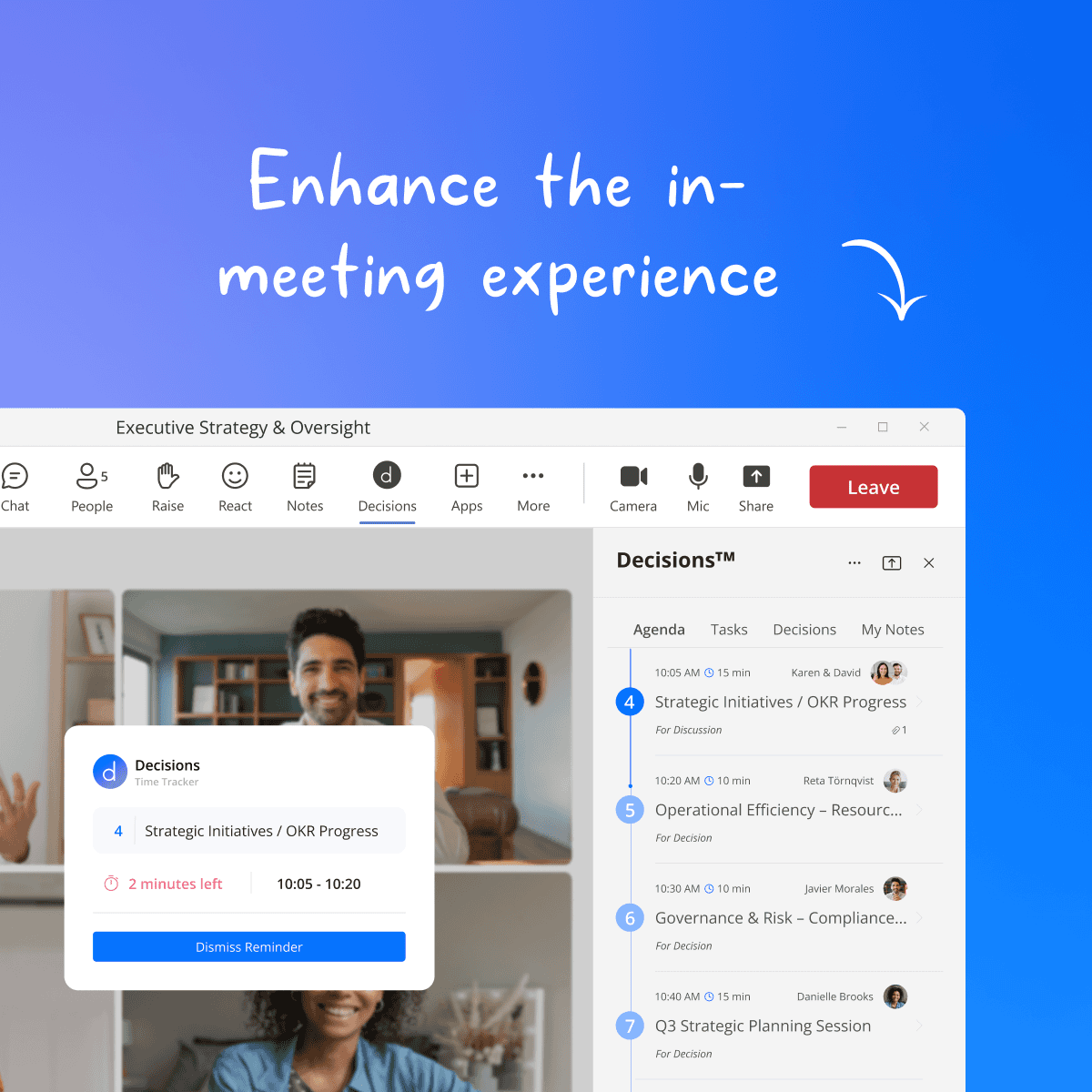
Decisions side panel in a live Microsoft Teams meeting showing the timed agenda, assigned presenters, and a Time Tracker with two minutes left on the current topic.
During the meeting

Focus on what matters

Teams side panel
Run the full agenda inside the meeting window, no switching apps.
Mobile app
Capture in-person and hybrid meetings on your phone, then turn them into a quick recap or formal minutes.
Time tracker
Countdown per topic with a one-minute warning, so every item gets its time.
Assigned presenters
Everyone knows who presents what, and when.
Meeting slides
Turn your agenda into a ready-to-present slide deck.
Secure voting
Formal votes recorded directly on the agenda item.
Decisions & action items
Outcomes recorded per topic as they happen, manually or automatically.
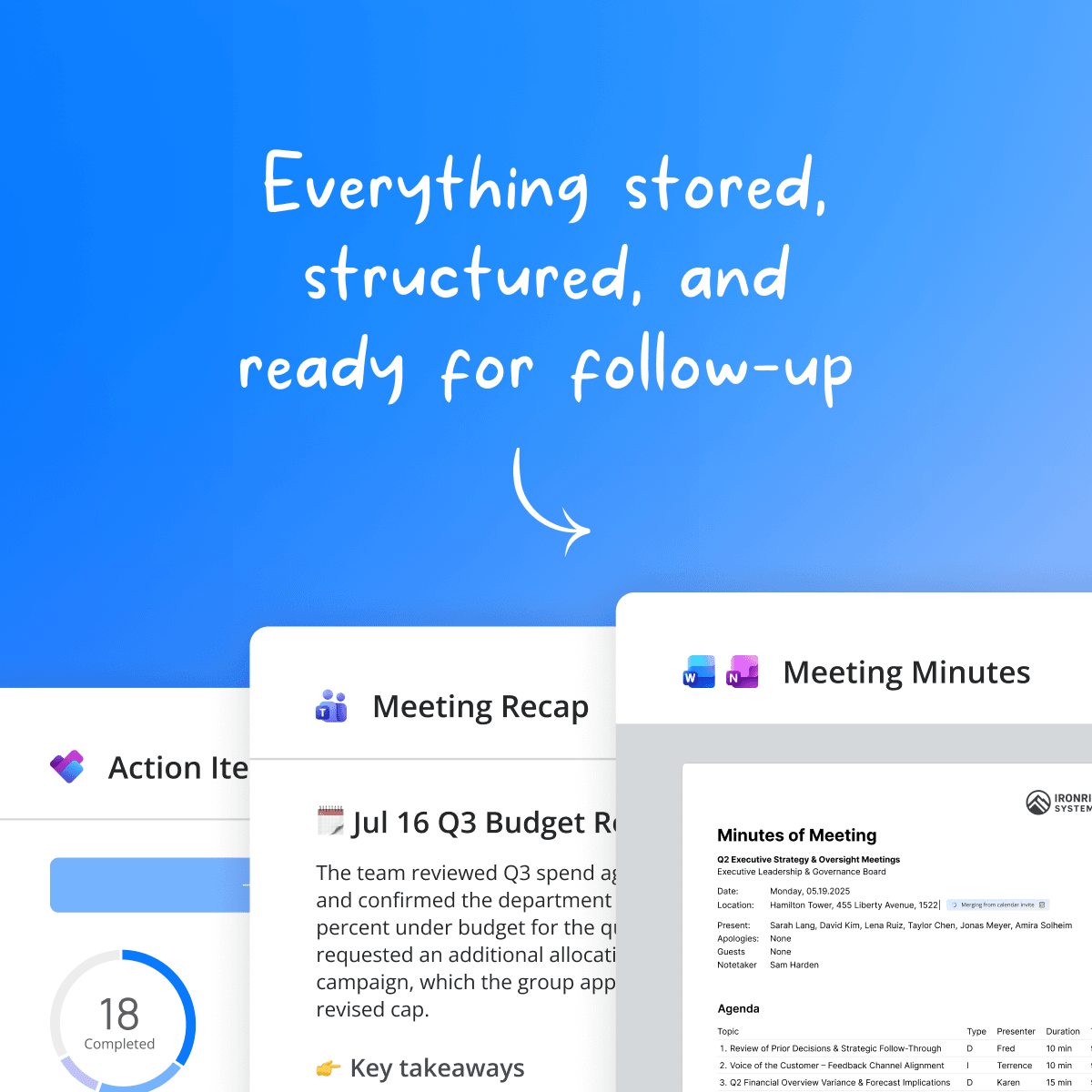
Decisions AI recap in Microsoft Teams chat summarizing a leadership meeting with key takeaways, decisions, and action items ready to sync to Microsoft Planner.
After the meeting

Leave with everything handled

Document it
One-click minutes
Agenda, notes, and decisions in your branded Word or OneNote templates.
AI minutes & AI recap
AI minutes and recaps built from your transcript, chat, notes, documents, and uploaded whiteboard or handwritten photos.
Approval & e-signatures
Formal review, approval, and signing.
Selective minutes distribution
Share minutes per agenda item, so confidential items stay confidential.
Meeting archive
Every agenda, minute, and decision, searchable in one place.
Follow through
Task management
Action items are synced to Microsoft Planner and To Do, with auto-created buckets.
Decision log
Proposed and final decisions, full audit trail, with historical import.
Standing agendas & backlog
Recurring items and outcomes feed into the next meeting.
And the loop closes. Open action items, standing agendas, and the backlog carry straight into the next meeting's prep, so every meeting builds on the last.
WHAT DECISIONS COVERS

Meeting management system for decisions, governance, and compliance

Decision-making, formal governance, in-person and hybrid meetings, and security and compliance: most teams stitch these together from separate tools. Decisions brings them into one system inside Microsoft Teams.

Decision-making

Decisions turns discussion into documented decisions. Propose, vote on, and finalize decisions directly on agenda items, with structured approvals using RAPID, RACI, or your own framework. Every outcome lands in a searchable decision log with a full audit trail, so teams know what was decided, who owns it, and how it connects to execution.

Board & formal governance

Formal bodies get the structure they are required to have: case submission, secure voting, structured approvals, a full audit trail, and electronic signatures. Document access can be restricted per participant, and every step is traceable from proposal to signed minutes.

Key features

In-person & hybrid meetings

Capture face-to-face meetings with the Decisions mobile app: recording and transcription happen on-device, then flow into AI Recap or full AI Minutes. Review agendas, annotate meeting books, and comment from anywhere.

Key features

Security & compliance

All meeting content stays in your own Microsoft 365 tenant and is never accessible to Decisions employees. No third-party bots join your meetings, AI runs stateless on Microsoft data centers with geographic control, and Decisions is SOC 2 Type II and ISO 27001:2022 certified. IT deploys centrally with zero footprint on user devices.

FREQUENTLY ASKED QUESTIONS

Frequently asked questions about meeting management in Decisions 

Meeting management software helps teams plan, run, and follow up on meetings in one system: building agendas, distributing documents, recording minutes, and tracking tasks and decisions afterwards. Unlike note-taking apps that only capture what was said, it covers the full cycle before, during, and after the meeting.
Decisions covers the full meeting lifecycle: an agenda builder with templates before, a Teams side panel with time tracking and live capture of outcomes during, and one-click minutes, a decision log, and task follow-up after, plus decision making, governance features, and optional Decisions AI.
Yes. Decisions is built natively for Microsoft 365: it runs as a side panel and tabs inside Microsoft Teams, in Outlook and on mobile, and connects to Word, OneNote, and Planner. There is nothing separate to install for participants and no data leaves your tenant.
Yes. The Decisions AI mobile app for iOS and Android gives you agenda access, meeting book annotations, comments, and AI recaps or AI Minutes on the go. It also captures in-person meetings: recording and transcription happen on-device, with transcripts stored encrypted.
Yes. One-Click Minutes merges your agenda, notes, decisions, and action items into a branded Word or OneNote document instantly. Optionally, AI Minutes drafts structured, per-topic minutes for you to review, approve, and sign digitally before distribution.
No. AI is optional to use with Decisions. Agendas, minutes, voting, and follow-up all work fully without AI. When you choose to use it, AI helps you prepare faster, stay present in the meeting instead of taking notes, and capture outcomes, always with your review.
Yes. Decisions works with Microsoft Copilot today, surfacing agendas, decisions, and meeting history inside Copilot. Secure access for assistants like Claude and ChatGPT is rolling out via MCP connectors, covering your structured meeting knowledge such as decisions, action items, and documents. In every case, access follows your tenant's existing Microsoft 365 permissions, so people and AI only see what they are allowed to see.
In your own Microsoft 365 tenant, never accessible to Decisions employees. Agendas, documents, minutes, and decisions are stored in your organization's SharePoint, OneDrive, and Exchange, governed by your existing security and compliance policies. Decisions adds no third-party storage and no bots in your meetings.
Still have questions?

Turn your meetings into results

Give every meeting a clear structure, and every outcome a clear record.