
Meeting minutes and recaps that go beyond the transcript
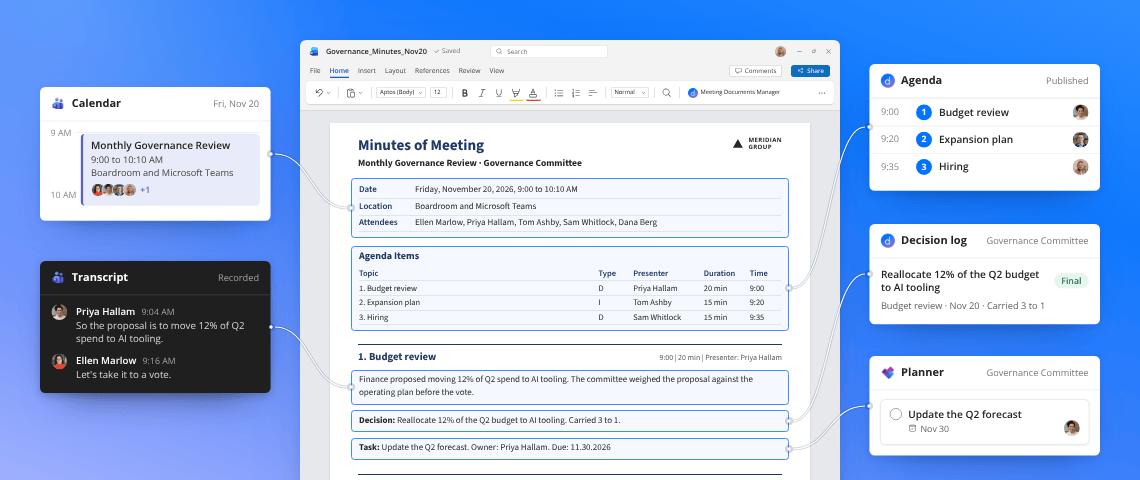
More than a summary of what was said
More context than a transcript alone
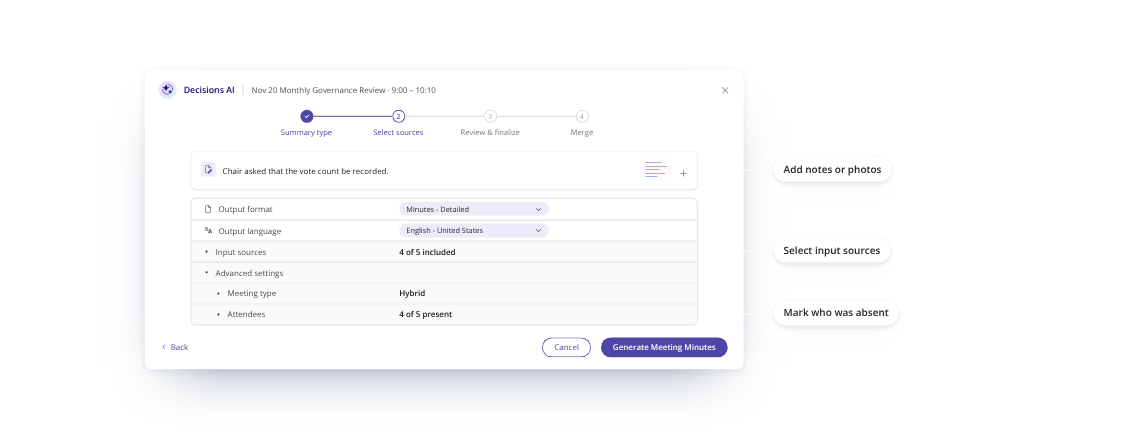
A transcript tells you what was said. Decisions can also draw on agendas, meeting chats, decisions and tasks, giving you a fuller record without piecing together the context afterward.
Minutes in your format, ready for review
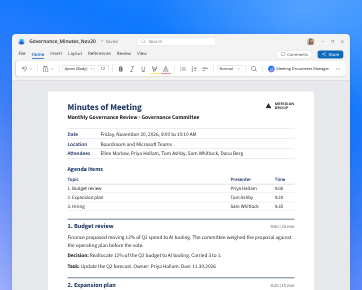
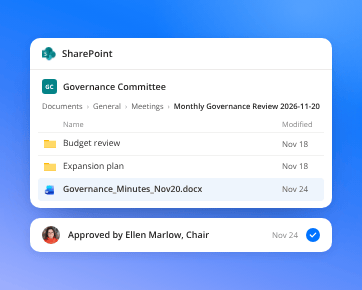
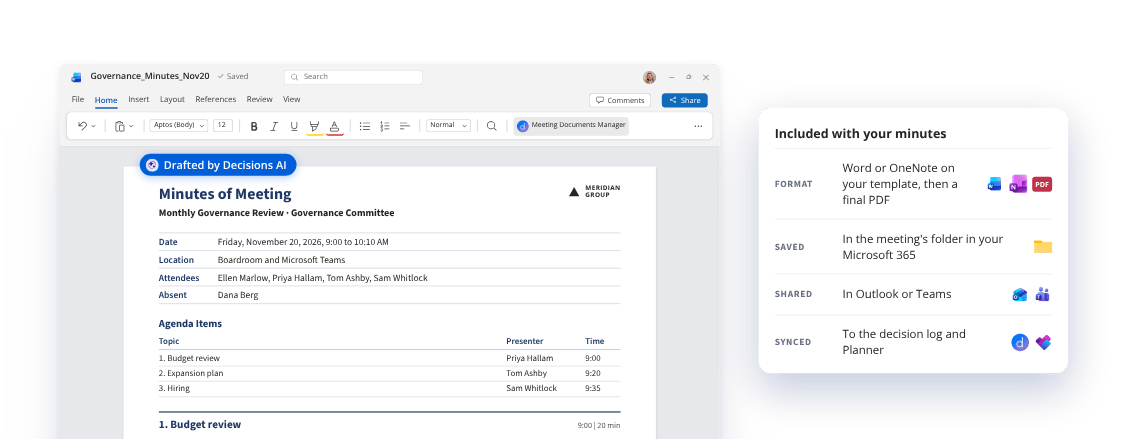
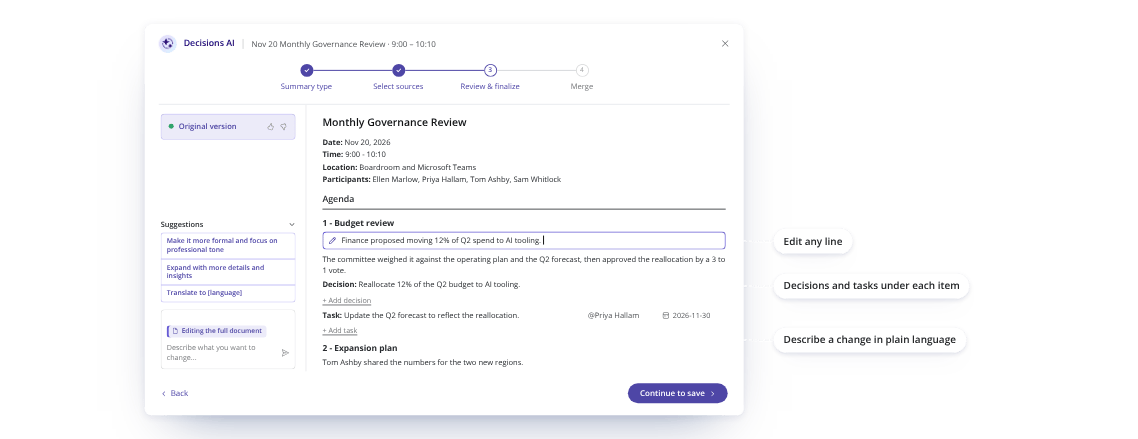
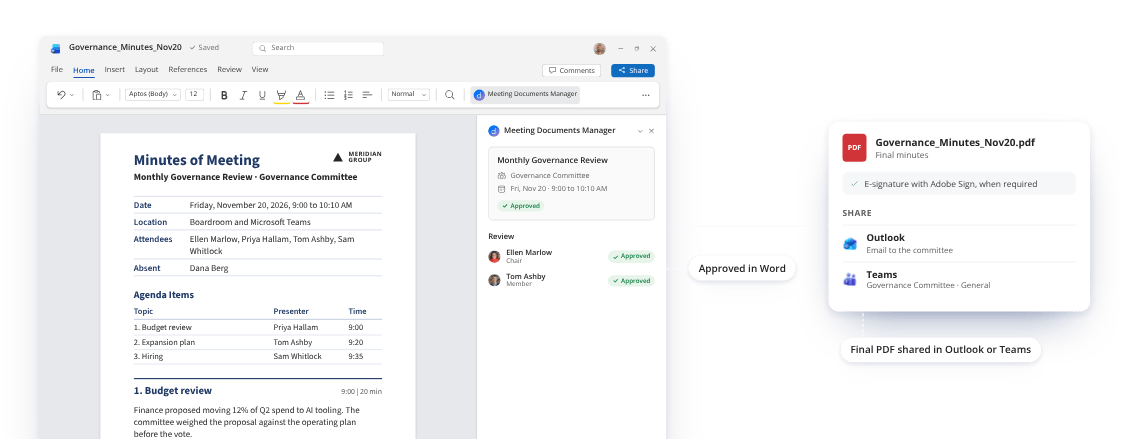
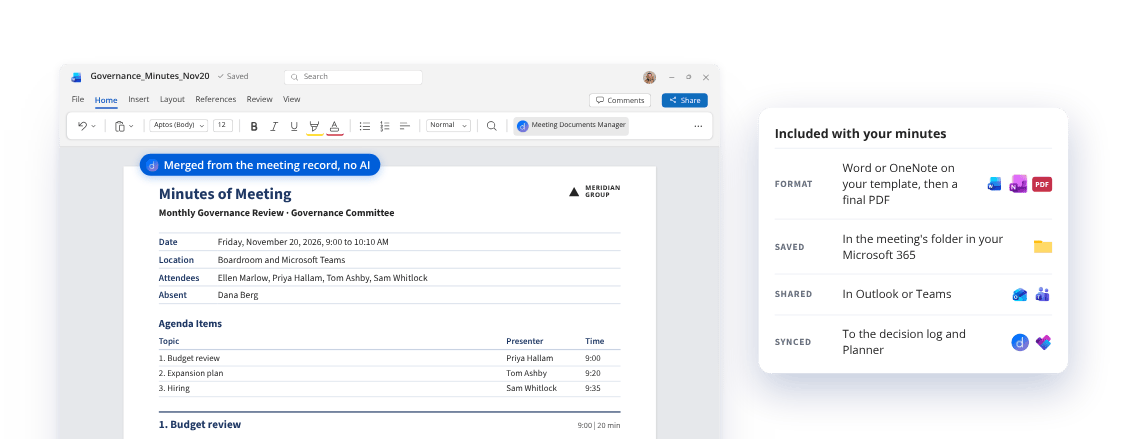
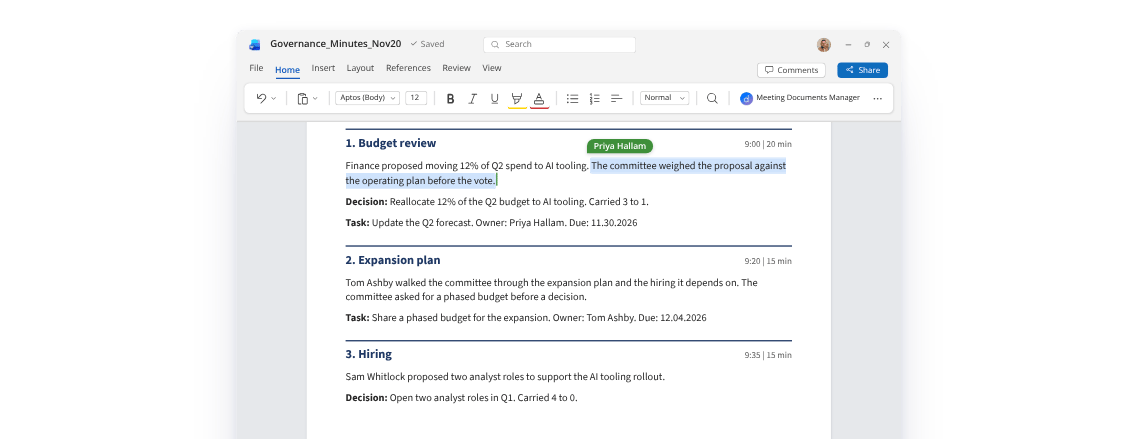
Create structured minutes in your organization's template, with AI or without it. Review what needs attention, collect approvals or signatures and share the finished record.
Decisions and actions don't get buried
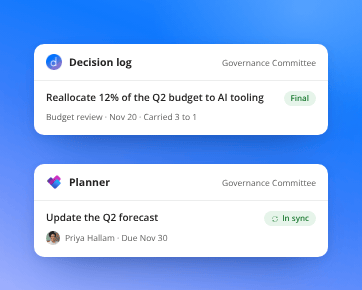
Decisions stay linked to their meetings in a searchable decision log, while action items sync to Planner with owners and due dates. Every outcome becomes part of a connected meeting record your team can build on.
Create meeting minutes or a recap in Microsoft Teams
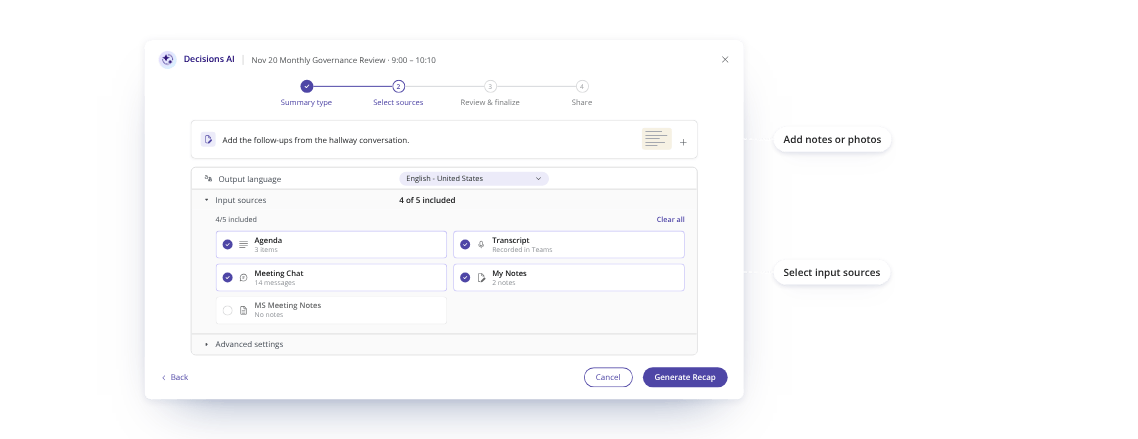
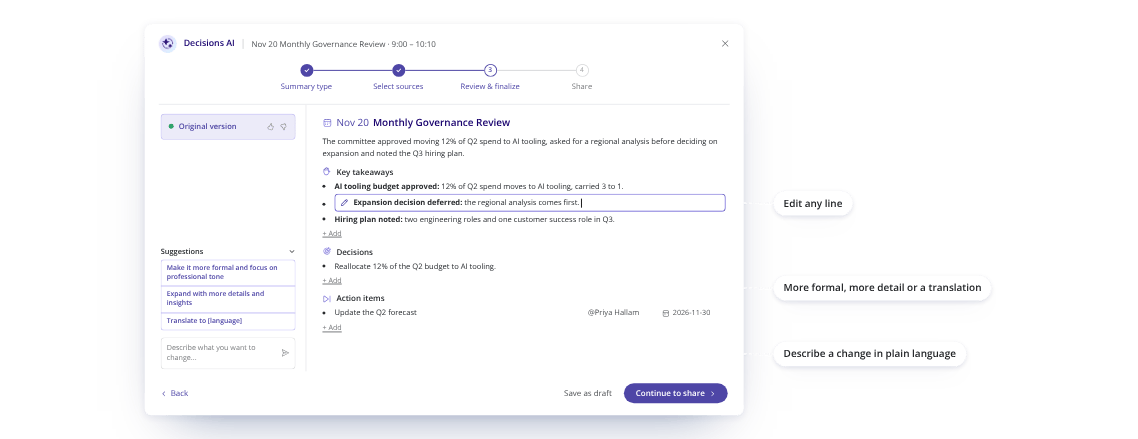
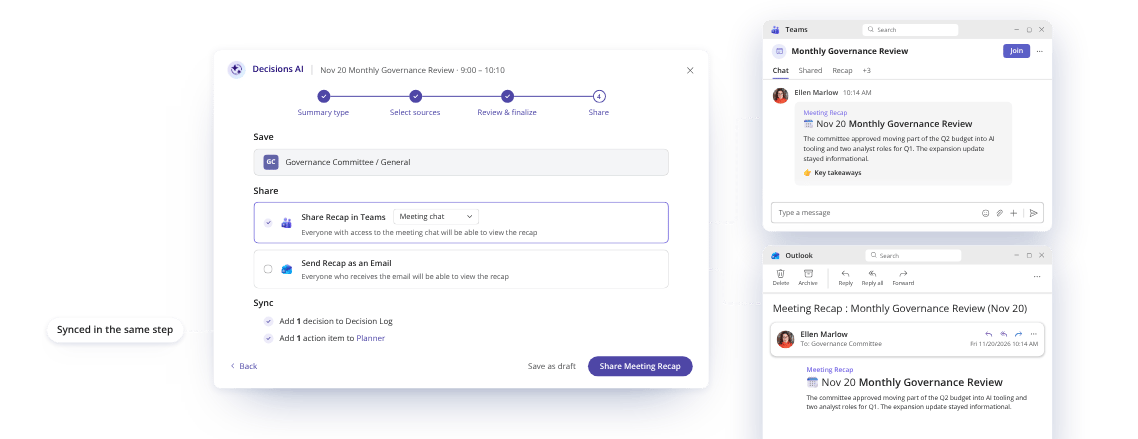
Built for minutes that fit the way your organization works
Connected to the whole meeting
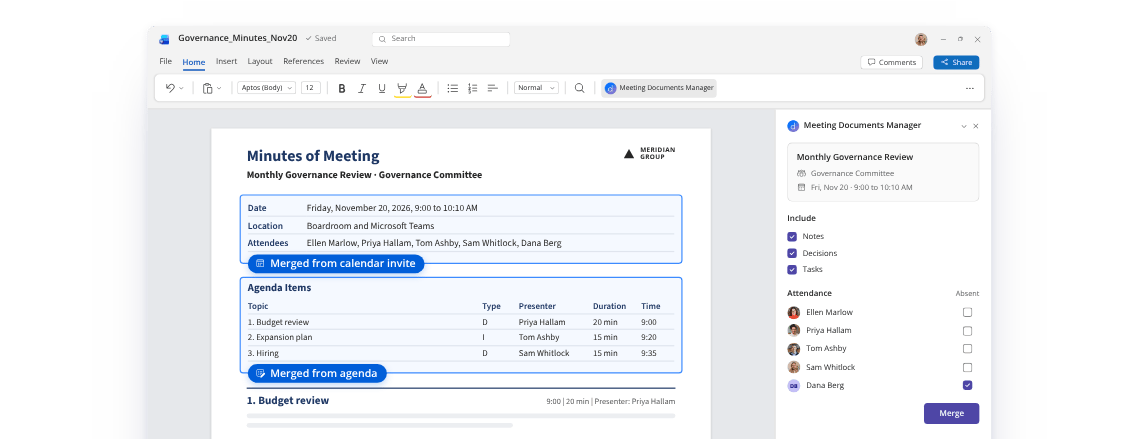
Decisions connects agendas, meeting notes, recorded decisions and action items in one meeting workspace. Your minutes build on that context, rather than starting from a disconnected transcript.
Your format, across every team
Create minutes in your organization's Word or OneNote templates, whether you use AI to draft them or merge the meeting record yourself. Keep the format your teams already recognize without rebuilding it after every meeting.
Secure by where it lives
Minutes and recaps are stored in your own Microsoft 365 tenant. Decisions AI is optional, and only a tenant admin can turn it on. Prompts and outputs are processed statelessly by Azure OpenAI and never stored, logged or used to train AI models. Decisions works from Teams' own transcription, so no bot joins your calls. SOC 2 Type II compliant and ISO 27001:2022 certified.
Learn more about our Trust CenterFor the meetings where the record matters
Whoever takes the minutes reviews instead of writing, and everyone who relies on them gets one consistent record of what was decided and who owns what.
Boards and committees
Create formal minutes on your organization's template, organized by agenda item. Move them through review and digital approval, with an e-signature when required. The decisions they record keep their status, tags and audit trail in a searchable decision log. See how boards use Decisions
Leadership teams
Agenda-organized minutes mean executive assistants and chiefs of staff stop reconstructing what was agreed. Each decision is recorded with its context and stays easy to find, and a recap can tell the teams who carry it out what changed. See how leadership teams use Decisions
Department and project meetings
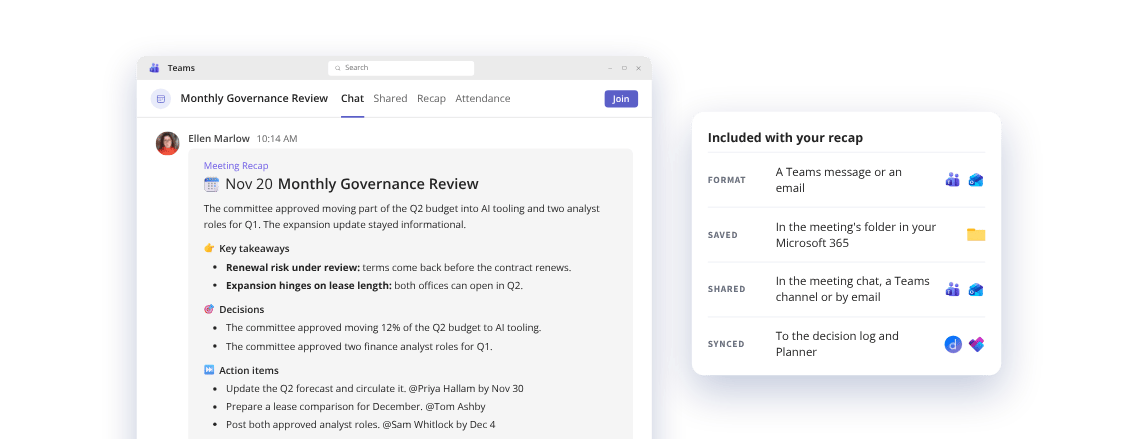
Share a recap in the meeting chat when a project or team meeting doesn't need formal minutes. Its decisions and action items sync to the decision log and Planner in one step, so follow-up starts from the record instead of memory. See how project teams use Decisions
Related features
See all features-
Decision log
Carry decisions beyond the minutes, with their status, history and the agenda item they came from.
-
Decisions AI Assistant
Ask what any meeting decided and who owns what, right in Teams.
-
Decisions MCP Connector
Analyze your minutes and decisions across meetings in Copilot or Claude.