






Turning meetings
into results
From management committees to project teams, Decisions structures meeting context, records outcomes, and automates workflows through a secure meeting management system built for people and AI.
Start Free in Teams
4.4 30k+ installs in the past month
Trusted by 5,000+ organizations worldwide
WHY DECISIONS
Why choose Decisions?
Without Decisions
Meetings end. Work gets scattered.
- Agendas live in emails, chats, or not at all
- Notes depend on whoever remembered to write them
- Decisions are hard to find after the call
- Action items slip without clear ownership
→
With Decisions
Meetings end. Work moves forward.
- Structured agendas, ready before you meet
- AI-assisted minutes drafted from the discussion
- Decisions captured in a searchable record
- Tasks sync to Planner with owners attached
THE FULL MEETING LIFECYCLE
Before, during, and after. Handled.
So your team walks into every meeting prepared, walks out with clear decisions and follow-ups, and always drives the business forward.
BEFORE THE MEETING
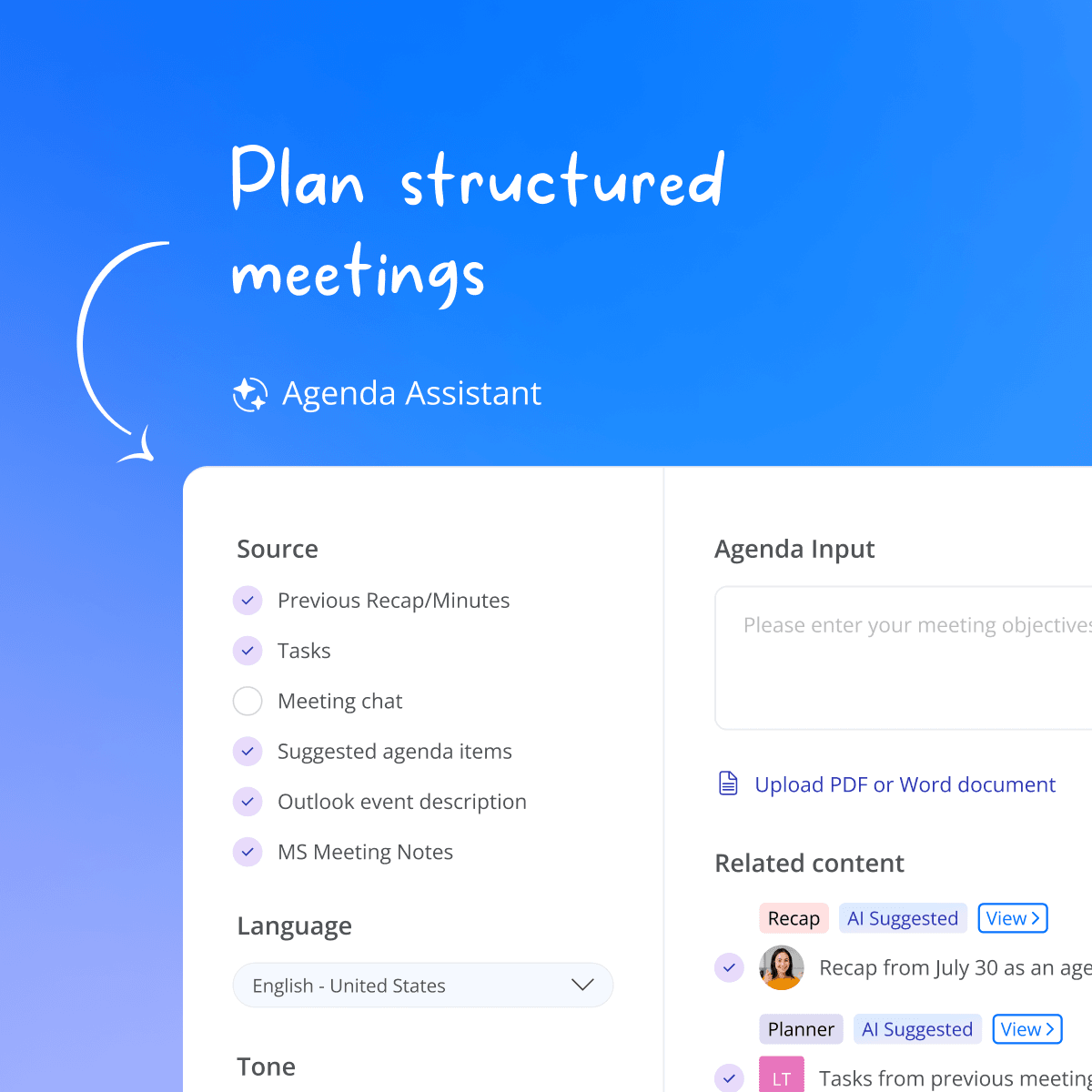
Build meeting agendas that drive alignment
Build structured agendas with time allocations, presenters, and attachments. When your team sees the agenda in advance, with clear topics, time, and expectations, they show up prepared, ready to contribute.
They can also add input, suggest topics, and align on priorities before the meeting starts. So you spend the time together making decisions, not catching up.
DURING THE MEETING
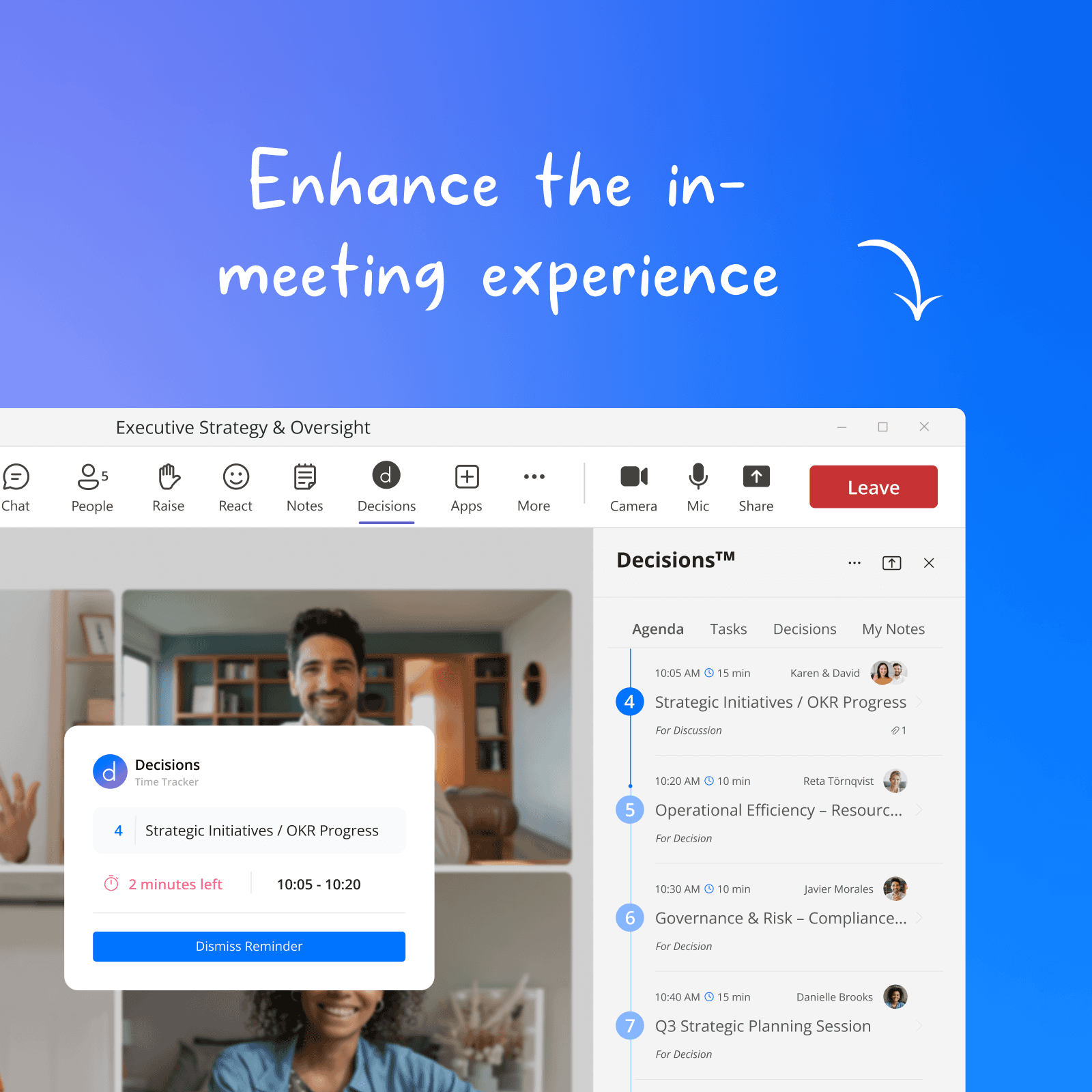
Keep meetings focused and actionable
Your team focuses on the meeting. Decisions handles the rest, tracking time, logging decisions, capturing tasks and votes as they happen. Works the same whether you're remote, hybrid, or face to face.
No recording bots. No external tools listening in. Everything stays in your Teams environment.
AFTER THE MEETING
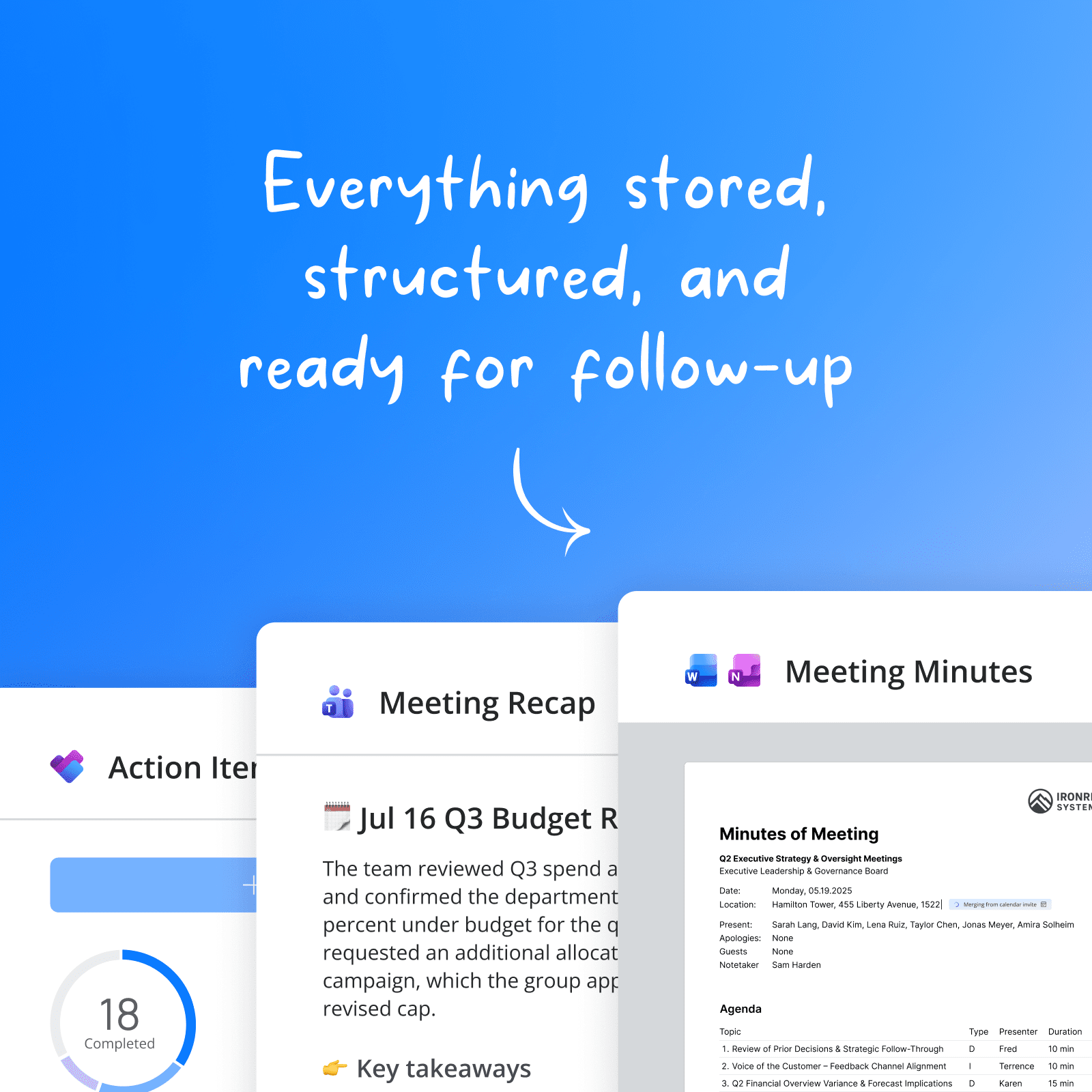
AI summaries you can act on
Short recaps or more detailed minutes are ready when you leave the call. Every decision is logged, every task has an owner and a deadline, and nothing depends on someone remembering to write it up.
Your team moves straight from meeting to action, with the tasks synced to Microsoft Planner with assignees and due dates attached.
ENTERPRISE-GRADE SECURITY
AI-powered. IT approved.
Decisions is SOC 2 Type II and ISO 27001:2022 certified, runs natively inside your Microsoft 365 tenant, and never uses third-party meeting bots.
✓ SOC 2 Type II
✓ ISO 27001:2022
✓ GDPR
✓ EU AI Act aligned
Decisions works natively with all your Microsoft 365 apps + services
Optional connectors
Microsoft Copilot
Claude
ChatGPT
GETTING STARTED
How fast can my team start using Decisions?
Decisions installs from the Microsoft Teams app store in 30 seconds — no software, no firewall rules, no IT ticket.
1
Add to Teams
Install Decisions from the Microsoft Teams app store or your admin center.
30 seconds. Zero IT footprint.
2
Create your first agenda
Pick a template or start from scratch. Add items, time, and share with your team.
Works with any existing Teams meeting.
3
Meet, and let AI handle the rest
Keep running your meetings in Teams. Decisions captures everything. AI drafts the minutes.
Minutes, tasks, and decisions. Done.
Don't just take our word for it
"Auditors have been so impressed with how we do our corporate governance and our reporting. I can draw a direct line between where we are today because of Decisions versus where we were without it."

Jay L.
Chief Information Officer Vantage Bank
"Working in a highly regulated area, I have spent hours a week creating agendas (especially modifying timeslots), generating minutes, capturing actions and logging decisions. Decisions AI and Teams have reduced that time tenfold."

Phey R.
Associate Partner
COMMON QUESTIONS
Everything you need to know about Decisions
Decisions is the only meeting management platform built natively inside Microsoft Teams, combining agendas, AI minutes, Planner sync, and a personal AI meeting agent in one workflow your whole team adopts in a day. Thousands of organizations trust Decisions for the full meeting lifecycle.
Meeting management software helps teams prepare for, run, and follow up on meetings in a structured way. It typically covers agenda creation, real-time facilitation (notes, time tracking, voting), and post-meeting documentation (minutes, decisions, action items). Decisions is a secure meeting management system for Microsoft 365 and Teams that structures meeting context, records outcomes, and automates follow-up, with AI available for agendas, recaps, and minutes when you want it.
AI notetakers give you a summary after the meeting. Decisions manages the full lifecycle: structured agendas before, time tracking and task capture during, and AI minutes with Planner sync after. Plus Decisions adds governance features like secure voting, case submission, and compliance-grade audit trails, with no third-party bot ever joining your calls.
You need Microsoft 365. Teams is where most people use Decisions, running as a personal app, channel tab, message extension, and in-meeting side panel. You can also use Decisions through the web app, the installable desktop app, native iOS and Android apps, and add-ins for Outlook and Word. It also connects to OneNote, Planner, and SharePoint, so it fits into your existing environment without new infrastructure.
Decisions AI drafts minutes from the meeting transcript combined with your agenda structure, including decision items, presenters, and time allocations, which makes them more accurate than transcript-only summaries. Every minute is a draft you can edit directly in Decisions or refine with AI-assisted changes, and individual agenda items can be regenerated independently if needed.
The Decisions platform interface is available in English, French, German, Dutch, and Norwegian.
For AI-powered features including agenda generation, meeting recaps, and minutes, Decisions supports most languages in the world. The AI will generate content in the language used in your meeting.
All meeting content stays in your organization's Microsoft 365 tenant. Decisions' own servers store only object IDs, never your content. AI processing happens through Azure OpenAI with no data retention. Decisions is SOC 2 Type II and ISO 27001:2022 certified, GDPR compliant, and aligned with the EU AI Act. Learn more about our security & compliance policies.
Decisions has a free plan for small teams, available to organizations with up to 30 users on their Microsoft 365 tenant, with no credit card required. Paid plans start with Business, priced per user and billed annually, which includes 100 monthly Decisions AI credits with each license. Organizations of 50 or more users get custom pricing with governance features including secure voting and eSignature. View pricing.
Under a minute for individuals: install Decisions from the Microsoft Teams app store and go. IT admins can push Decisions through the Microsoft 365 Admin Center with no software installation on end-user devices, no firewall rules to configure, and no IT ticket required.
Decisions lives inside Microsoft Teams, the tool your team already opens every day. There is no separate app to learn and no new login. The meeting side panel attaches automatically once an agenda is published, and AI handles the most tedious part of meeting documentation without anyone changing their workflow.
Still have questions?
Put every part of the meeting on autopilot
Start free - no credit card required. Install in Microsoft Teams and run your first structured meeting today.
No credit card required. No IT ticket needed. Works with any Microsoft 365 plan.