
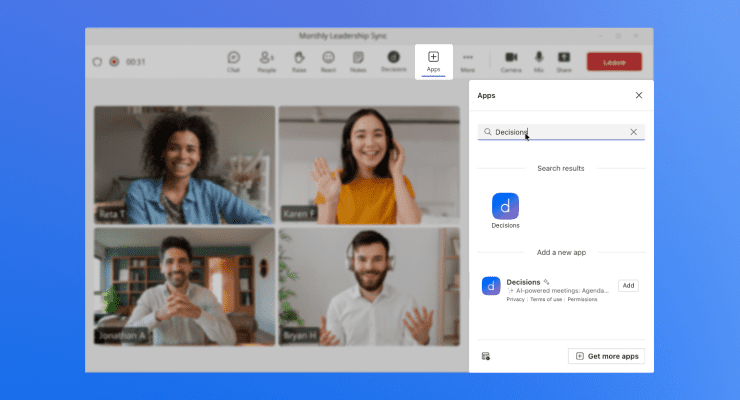
Find it in a meeting
Join or start a Teams meeting, open the side panel, and select Decisions.
.png?width=740&height=400&name=Pin%20the%20app%20(1).png)
Pin it for next time
Right-click the Decisions app in Teams and choose Pin so it stays handy.
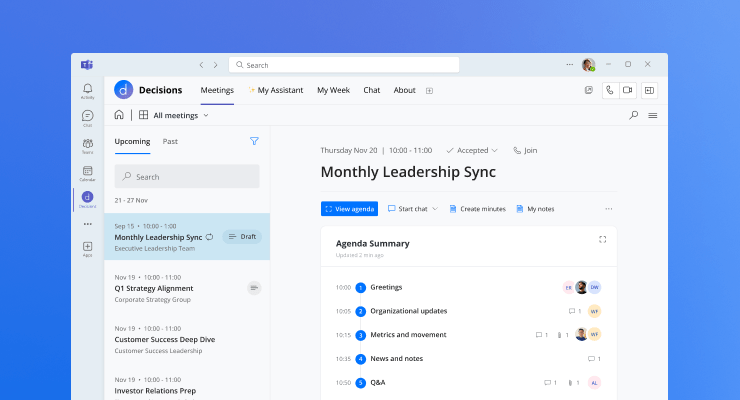
Works before and after
You can also open Decisions to prepare an agenda ahead of time or review minutes later.
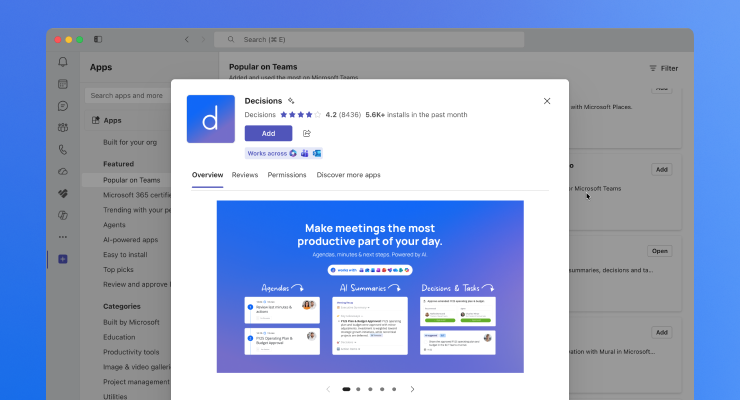
Don't see it?
Ask your Microsoft Teams administrator to add Decisions for your organization.
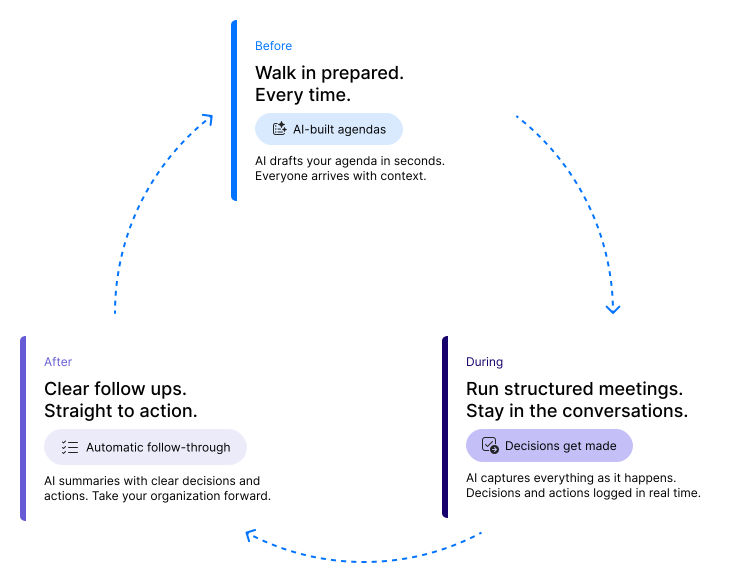
Before the meeting
Show up prepared
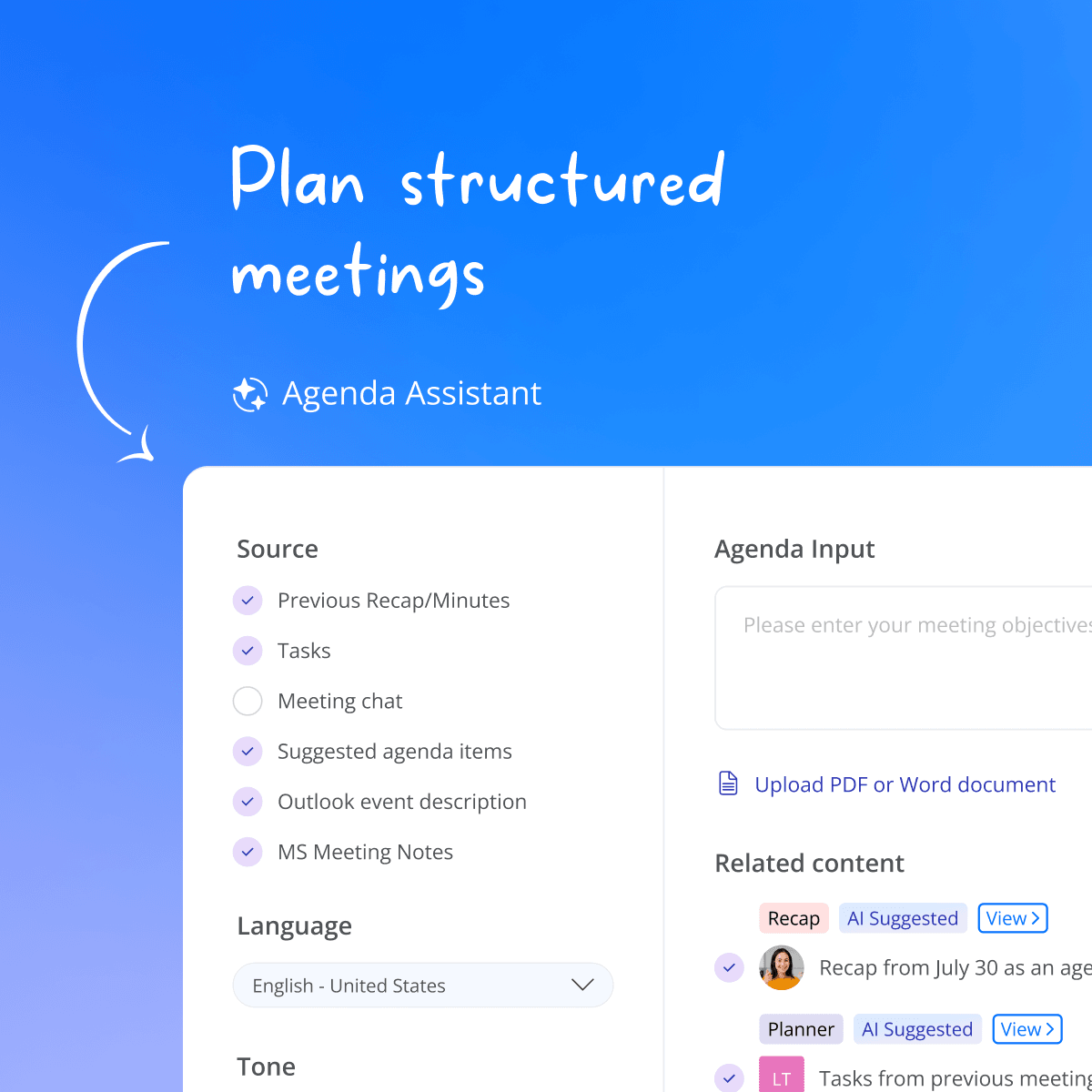
Agenda builder
Drag and drop items, set time per topic and type, in draft until you publish.
Agenda templates
Personal, team, and organization-wide templates for every recurring meeting.
AI agenda
An optional AI draft from your meeting context, to review and refine before publishing.
AI Assistant
Daily briefings, scheduling, reminders, recaps, and more, all from your AI Assistant.
Proposed decisions
Stage a proposed decision on any agenda item, ready to vote on and finalize.
Co-authoring & collaboration
Build the agenda together, with suggested and requested items.
Guest & participant management
Control who sees what, including external guests.
Meeting book
Export the agenda and every attached document in one branded PDF, ready to review and annotate in the mobile app.
Meeting Engagement Score™
See how prepared participants are before the meeting starts.
During the meeting
Focus on what matters
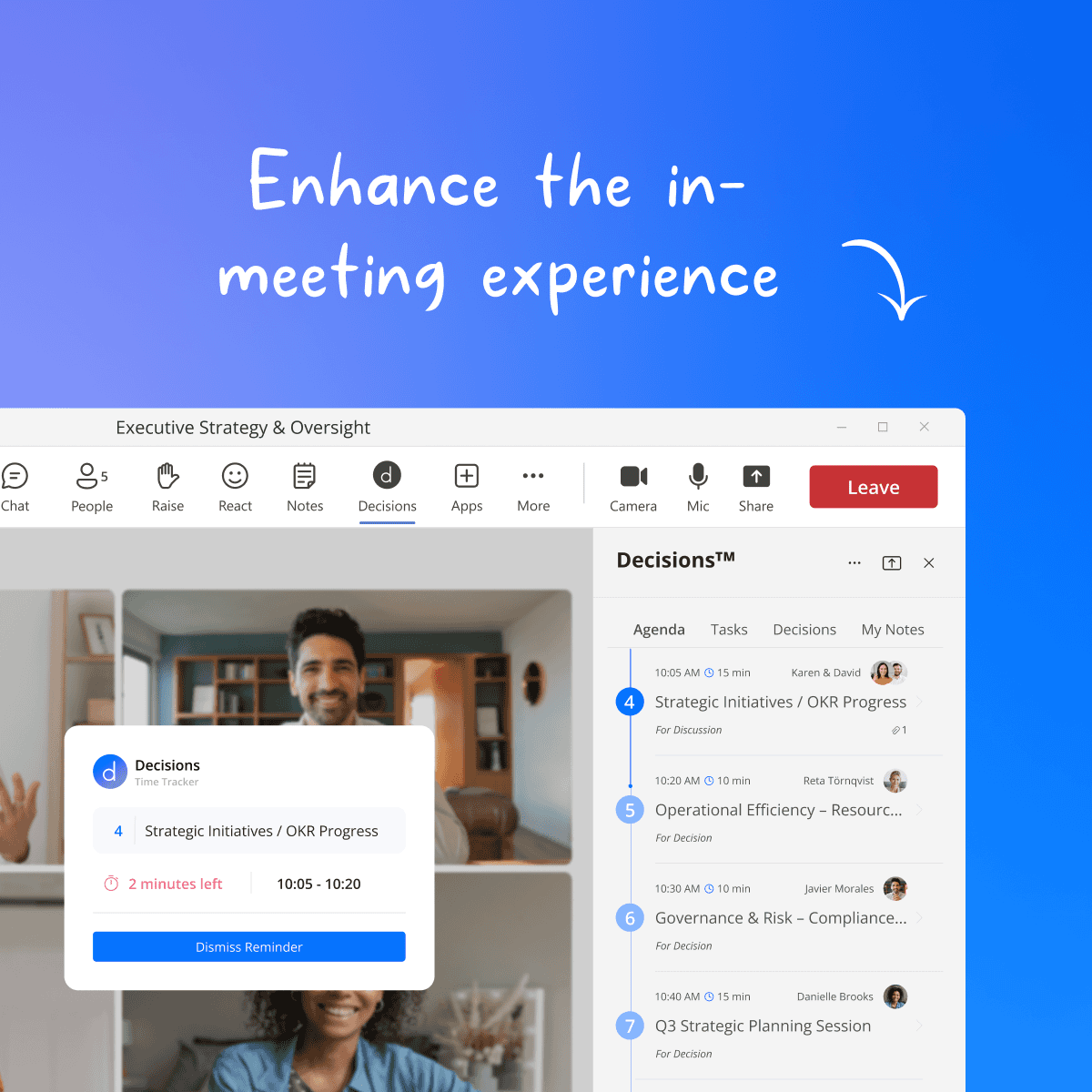
Teams side panel
Run the full agenda inside the meeting window, no switching apps.
Mobile app
Capture in-person and hybrid meetings on your phone, then turn them into a quick recap or formal minutes.
Time tracker
Countdown per topic with a one-minute warning, so every item gets its time.
Assigned presenters
Everyone knows who presents what, and when.
Meeting slides
Turn your agenda into a ready-to-present slide deck.
Secure voting
Formal votes recorded directly on the agenda item.
Decisions & action items
Outcomes recorded per topic as they happen, manually or automatically.
After the meeting
Leave with everything handled
Document it
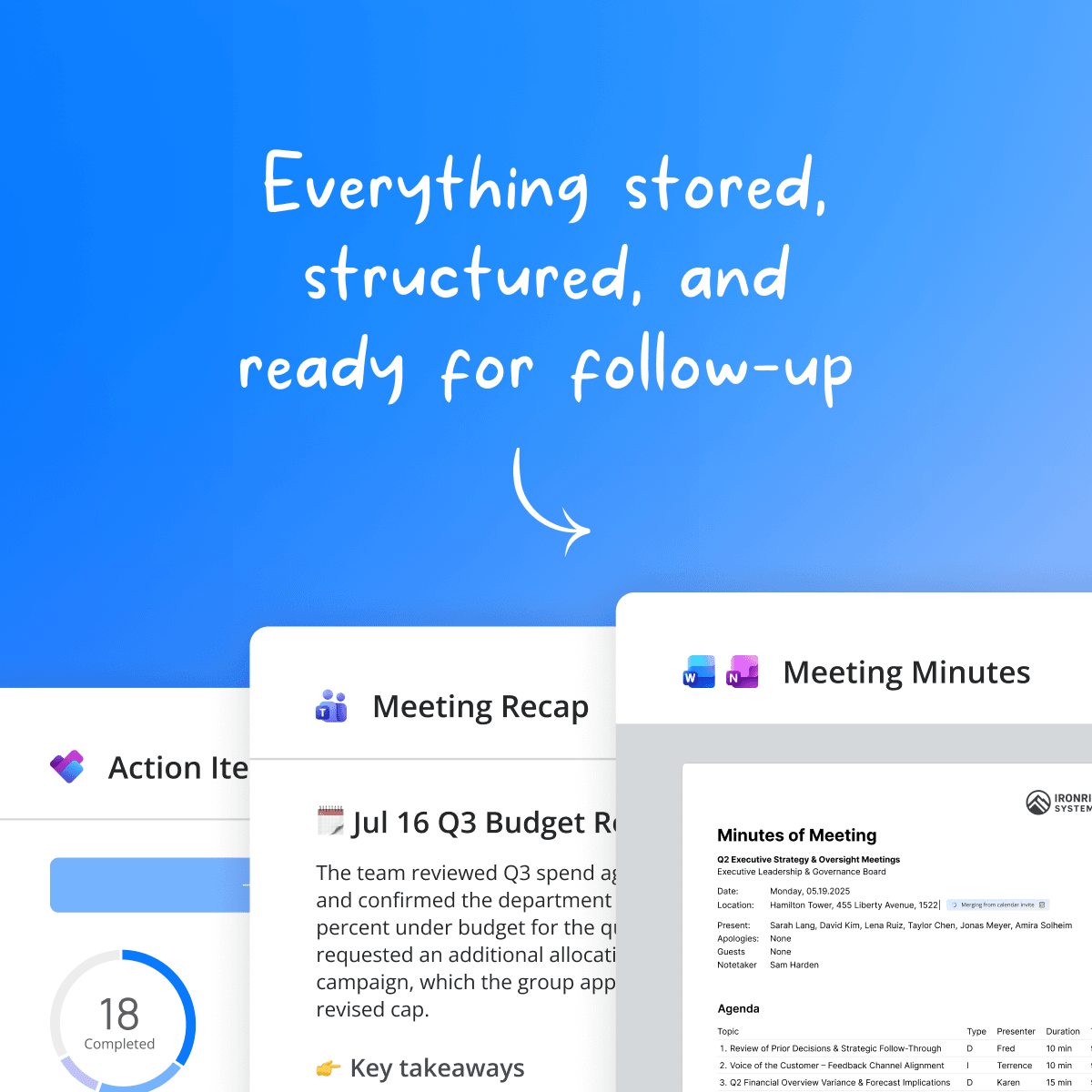
One-click minutes
Agenda, notes, and decisions in your branded Word or OneNote templates.
AI minutes & AI recap
AI minutes and recaps built from your transcript, chat, notes, documents, and uploaded whiteboard or handwritten photos.
Approval & e-signatures
Formal review, approval, and signing.
Selective minutes distribution
Share minutes per agenda item, so confidential items stay confidential.
Meeting archive
Every agenda, minute, and decision, searchable in one place.
Follow through
Task management
Action items are synced to Microsoft Planner and To Do, with auto-created buckets.
Decision log
Proposed and final decisions, full audit trail, with historical import.
Standing agendas & backlog
Recurring items and outcomes feed into the next meeting.